Close Menu
  • Home
  • Entertainment
  • National
  • International
  • Tech
  • Politics
  • Sports
  • PMNI
  • More
    • Business
    • Culture
    • Education
    • History
    • Health
  • Featured
    • Fishe Travel
    • Fishe Media
    • Fishe TV
Facebook X (Twitter) Instagram
FISHE NEWS
  • Home
  • Entertainment
  • National
  • International
  • Tech
  • Politics
  • Sports
  • PMNI
  • More
    • Business
    • Culture
    • Education
    • History
    • Health
  • Featured
    • Fishe Travel
    • Fishe Media
    • Fishe TV
Facebook X (Twitter) Instagram
FISHE NEWS
Home»Technology»How To Delete Your Search, Location And More On Google App
Technology

How To Delete Your Search, Location And More On Google App

Step-by-Step order to delete what you don't want to be seen, tracked on your Google Apps
FisheBy FisheJune 26, 2023No Comments2 Mins Read
Facebook Twitter Pinterest LinkedIn Tumblr Email
Share
Facebook Twitter LinkedIn Pinterest Email

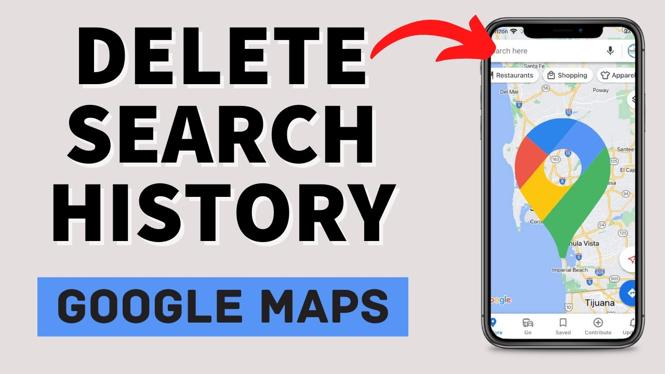
When using the Google app, you may sometimes come across situations where you wish to delete your recent search history. Whether it’s for privacy reasons or to remove any trace of your browsing activity, Google provides a handy feature that allows you to delete the last 15 minutes of your search history quickly.

In this guide, you’ll know your way through the steps to delete the last 15 minutes of your search history.

Before proceeding with deleting your search history, here are a few important points to know:

Time Limit: Google’s feature to delete the last 15 minutes of search history is time-limited. You can only remove the activity that occurred within the last 15 minutes, so make sure to act promptly if you want to erase specific searches.

Device Compatibility: This method applies specifically to the Google app on your mobile device. It may not be applicable to other browsers or devices, so keep that in mind.

Below are the steps to delete last 15 minutes’ search history on your Google app:

Open Google app
Open the Google app on your phone or tablet and make sure that you are signed in with your Google account.



Tap on the Profile picture
Locate your profile picture or avatar in the top right corner of the app’s interface. Tap on it to access your account settings.

Go to Manage your Google account
From the dropdown menu, select “Manage Your Google Account.” This will take you to the settings page for your Google account.

Access “Data & Privacy”
On the account settings page, look for the section labelled “Data and Privacy.” scroll down to locate and tap on “my activity” it to open the privacy settings.

Navigate to “My Activity”
Find and select “My Activity.” This will bring you to a page displaying your recent search history and activity.

Choose Delete and Set Exactly What You Want Deleted by the Duration You Want
Scroll down the page to find your web & app activity, you can also turn on or off your location history, YouTube history and also Delete what you don’t to remain. Confirm if asked.

Share. Facebook Twitter Pinterest LinkedIn Tumblr Email
Fishe
  • Website
  • Facebook
  • X (Twitter)
  • Instagram
  • LinkedIn

We leverage creative and strategic design to amplify our clients’ products and services, capturing audience attention and transforming brand perception into real-world engagement. As a client-first B2B company, our experts are proactive, flexible, and responsive—delivering exactly what our clients need, when they need it, and before competitors do.

Related Posts

Nigeria’s Fintech Boom Comes With A New National Responsibility

November 17, 2026

For Continental Leadership, Africa’s Leading Voice In Internet Journalism, Bayero Agabi, Bags IXPN Distinguished Award

November 1, 2026

GTCO Expands Digital Payments Offering With Google Pay Integration

October 29, 2026

Comments are closed.

Here is spotlighting many benefits of journeying with either Lagos State’s Blueline or Redline rails for a hassle-free day, week, month and year. Thank God for the Igbega Eko. Together we rise.
https://youtu.be/V67GV8wgyjw

Latest Posts

  • Nigeria’s Fintech Boom Comes With A New National Responsibility
  • A Nation Can’t Move Forward With Yesterday’s Laws
  • LAGOS 2027: Why Obafemi Hamzat Stands Head And Shoulders Above The Opposition
  • Addressing Organised Unauthorised Migration To The United States
  • Tinubu: The All-Round Leader Driving Nigeria’s Renaissance And Celebrating The Flamingos’ Global Triumph

LATEST POSTS

Nigeria’s Fintech Boom Comes With A New National Responsibility

November 17, 2026

A Nation Can’t Move Forward With Yesterday’s Laws

November 13, 2026

LAGOS 2027: Why Obafemi Hamzat Stands Head And Shoulders Above The Opposition

November 12, 2026

Addressing Organised Unauthorised Migration To The United States

November 8, 2026

Tinubu: The All-Round Leader Driving Nigeria’s Renaissance And Celebrating The Flamingos’ Global Triumph

November 5, 2026

Subscribe to Updates

Get the latest news from FISHE about politics, economy, health and business, etc

Facebook X (Twitter) Instagram Pinterest
© 2026 ThemeSphere. Designed by ThemeSphere.

Type above and press Enter to search. Press Esc to cancel.