Close Menu
  • Home
  • Entertainment
  • National
  • International
  • Tech
  • Politics
  • Sports
  • PMNI
  • More
    • Business
    • Culture
    • Education
    • History
    • Health
  • Featured
    • Fishe Travel
    • Fishe Media
    • Fishe TV
Facebook X (Twitter) Instagram
FISHE NEWS
  • Home
  • Entertainment
  • National
  • International
  • Tech
  • Politics
  • Sports
  • PMNI
  • More
    • Business
    • Culture
    • Education
    • History
    • Health
  • Featured
    • Fishe Travel
    • Fishe Media
    • Fishe TV
Facebook X (Twitter) Instagram
FISHE NEWS
Home»Technology»‘Hum To Search’ – A New Feature On YouTube Music
Technology

‘Hum To Search’ – A New Feature On YouTube Music

Just Hum It, and Get It On YouTube Music
Adejuyigbe AdegokeBy Adejuyigbe AdegokeMay 27, 2024Updated:May 27, 2024No Comments2 Mins Read
Facebook Twitter Pinterest LinkedIn Tumblr Email
Share
Facebook Twitter LinkedIn Pinterest Email

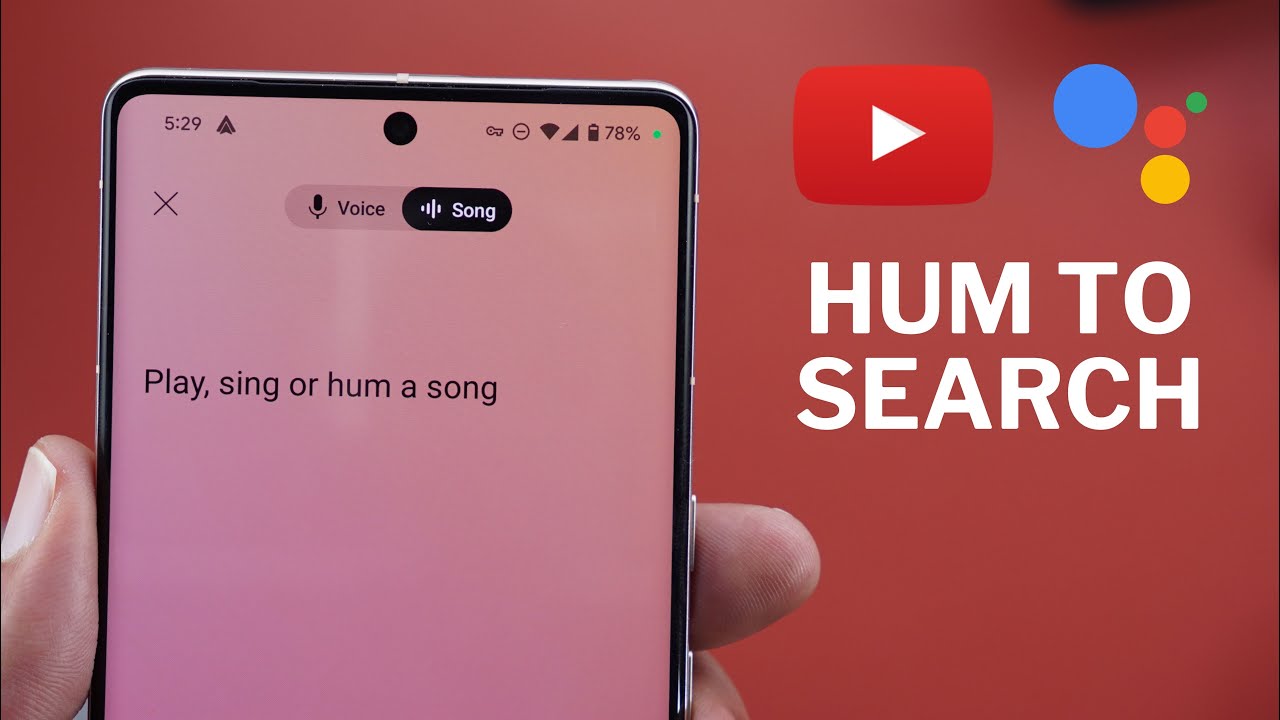
Gone are the days when you’re denied listening to a song you love, or heard before because you forgot the lyrics. With the new introduced Google owned YouTube feature that helps us find songs quickly, you simply have to hum a short part of the song for about 3 seconds, and YouTube will search its library to find a match based on the melody.

‘Hum to Search’ Feature

YouTube Music is trying out a new ‘hum to search’ feature on its app for Android phones. Owing to this feature, users can find songs by humming, singing, or recording a short piece of the tune for at least three seconds. When you hum or record, YouTube’s smart technology matches it to the song’s unique melody. Then, it shows you videos related to that song, like official music videos or user-made content. Right now, this feature is only available to a small group of Android users as part of a test by Google.

How to use YouTube Music ‘Hum to Search’ Feature

To explain how the YouTube hum feature works, it’s important to know that YouTube is trying out a new search tool. This tool helps users find songs by humming, singing, or recording a bit of the melody. Right now, it’s only on the Android app and is being tested with a small group of users.

The following are the steps you can follow to use the new humming feature to find songs:

  • Open the YouTube app on your smartphone.
  • Tap the Search icon which is on the top right of the screen.
  • Next to the search bar there is a microphone icon, tap on it to turn on the hum-to-search feature.
  • Allow YouTube to use your microphone for this feature.
  • Now, hum, sing, or whistle the song’s melody that you want to find.
  • YouTube will use your audio input to search for the song and show you a list of results.
  • If you are satisfied with the result, tap on it to listen to the song. If not, you can again hum the melody and search the song.



#Google #HumToSearch #YouTube
Share. Facebook Twitter Pinterest LinkedIn Tumblr Email
Adejuyigbe Adegoke
  • Website
  • Facebook
  • X (Twitter)
  • Instagram
  • LinkedIn

Publisher.

Related Posts

Nigeria’s Data Needs To Return Home. But Is Our Infrastructure Up To The Task?

October 4, 2026

Fostering The Future Together: Advancing Global Technology And Education Partnerships For Children

September 22, 2026

MTN Has 100 Million Subscribers. The Interesting Part Is What Happens Next

September 16, 2026

Comments are closed.

Here is spotlighting many benefits of journeying with either Lagos State’s Blueline or Redline rails for a hassle-free day, week, month and year. Thank God for the Igbega Eko. Together we rise.
https://youtu.be/V67GV8wgyjw

Latest Posts

  • BREAKING IN THE NEWS: Several Feared Dead As Helicopter Crashes In Igbokoda, Ondo State
  • 100 Days To Nigeria’s 2027 Election: The Ballot, The Battle And The Burden
  • Nigeria’s Data Needs To Return Home. But Is Our Infrastructure Up To The Task?
  • Nigeria Begins Local Production Of Next-Generation Malaria Nets As Harvestfield Opens New Front In Health Manufacturing
  • From Appropriation To Impact: What The 2025 Budget Extension Means For Citizens

LATEST POSTS

BREAKING IN THE NEWS: Several Feared Dead As Helicopter Crashes In Igbokoda, Ondo State

October 5, 2026

100 Days To Nigeria’s 2027 Election: The Ballot, The Battle And The Burden

October 5, 2026

Nigeria’s Data Needs To Return Home. But Is Our Infrastructure Up To The Task?

October 4, 2026

Nigeria Begins Local Production Of Next-Generation Malaria Nets As Harvestfield Opens New Front In Health Manufacturing

October 2, 2026

From Appropriation To Impact: What The 2025 Budget Extension Means For Citizens

October 1, 2026

Subscribe to Updates

Get the latest news from FISHE about politics, economy, health and business, etc

Facebook X (Twitter) Instagram Pinterest
© 2026 ThemeSphere. Designed by ThemeSphere.

Type above and press Enter to search. Press Esc to cancel.